Batch Image-to-PDF Queue
List tasks generate separate PDFs in sequence and show queued, processing, and completed states; multiple results are packaged as a ZIP.
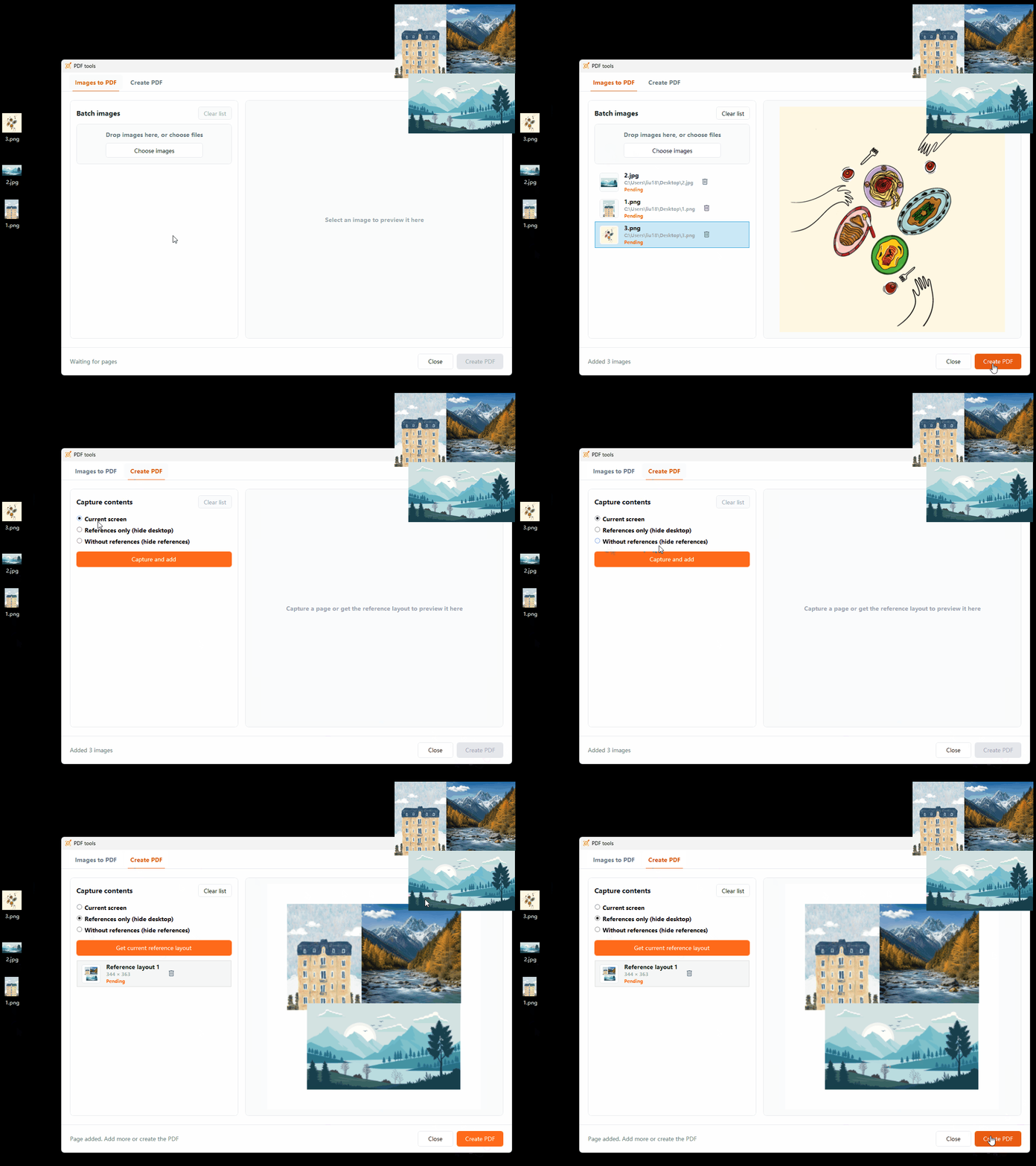
Import images to create PDFs in list order; multiple results are packaged in a ZIP. You can also export the current desktop layout as a PDF. Default filenames include the save time.
Key Capabilities
List tasks generate separate PDFs in sequence and show queued, processing, and completed states; multiple results are packaged as a ZIP.
Create a PDF that matches the positions and arrangement of references on the current desktop.
Automatically include a timestamp such as 202607281121 when saving to reduce duplicate filenames.
Frequently Asked Questions
Yes. Image-to-PDF supports batch import and generates separate PDFs in list order; multiple results are saved in a ZIP archive.
No. Layout generation uses the current positions and composition of desktop references.
The default filename includes the save time, such as 202607281121, and can still be changed before saving.
More Features